

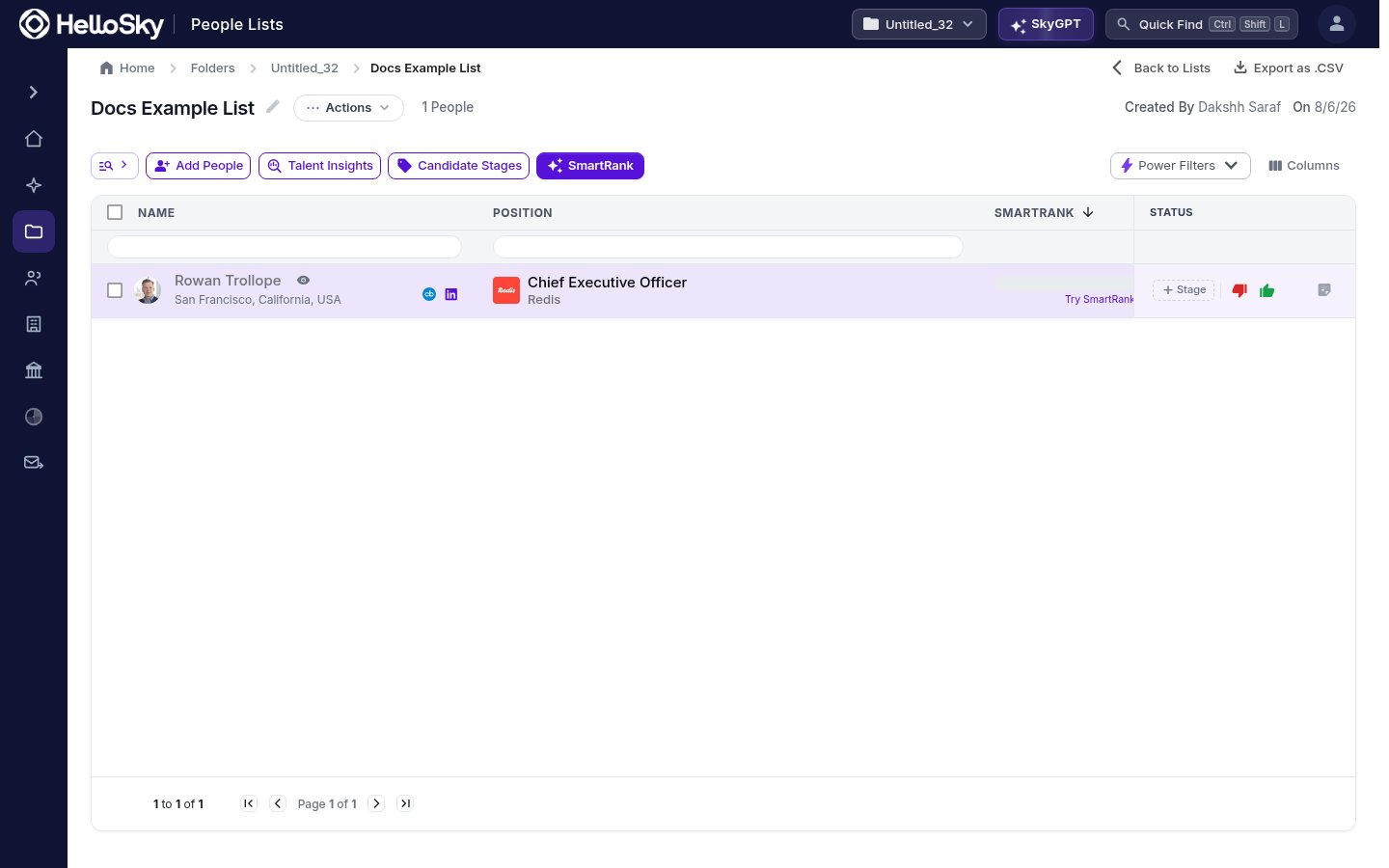
Working a people list
- Candidate Stages: tag each person with a stage to track them through your process. The Status column keeps the pipeline visible at a glance.
- Up-vote / Down-vote and notes: capture quick judgments and context on each candidate, visible to anyone who works the list with you.
- SmartRank: rank the list against your target spec so the most relevant people rise to the top.
- Talent Insights: an aggregate view of the whole list: where people are, what sectors they come from, and how the pool is shaped.
- Power Filters and Columns: filter within the list and tailor which fields are displayed.
List actions
The Actions menu at the top of a list covers the housekeeping: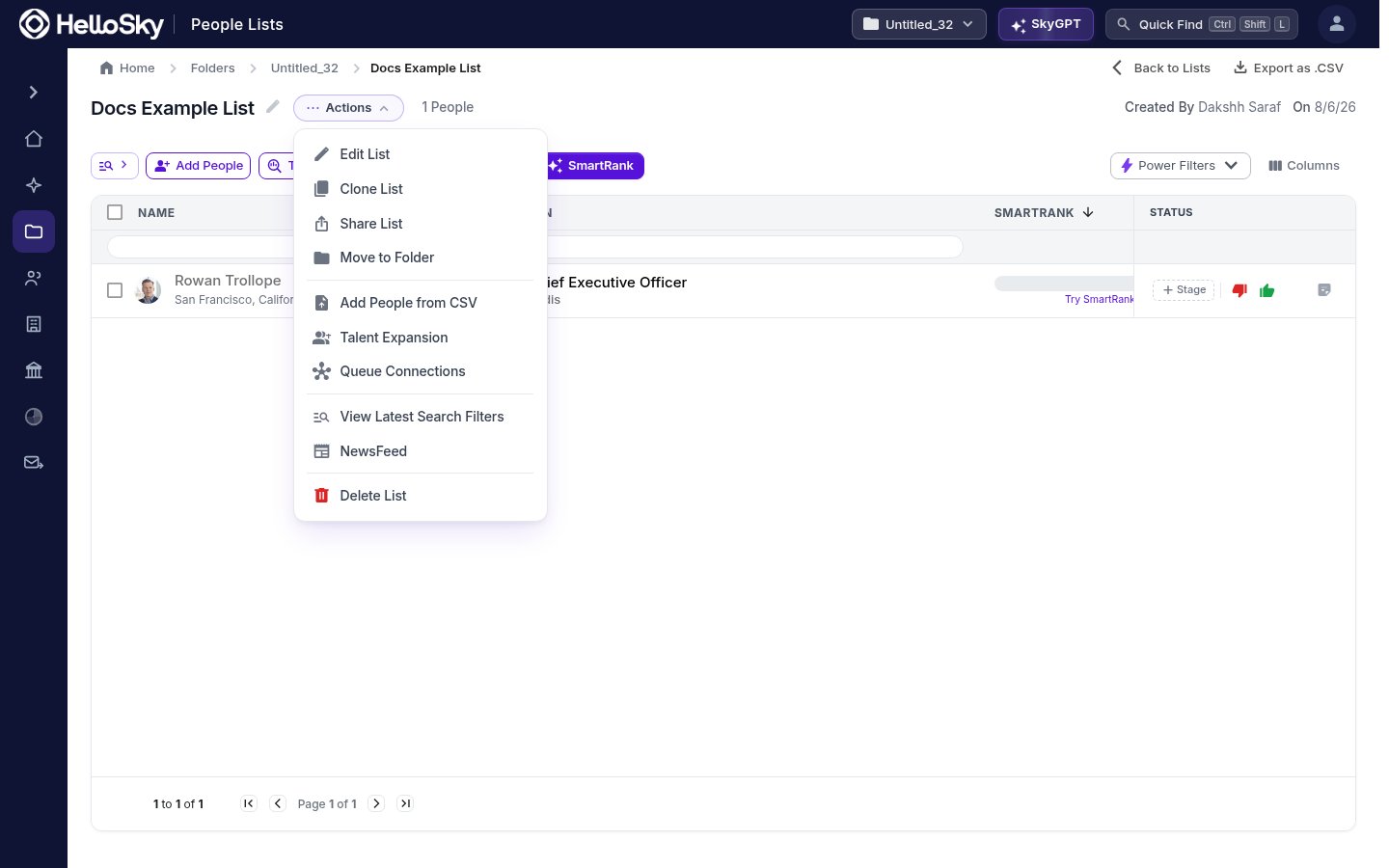
- Edit List and Rename
- Clone List: duplicate before making big changes.
- Move to Folder: keep lists grouped by project.
- Add People from CSV: import names in bulk.
- Talent Expansion: grow the list with people similar to those already on it.
- View Latest Search Filters: see the search that produced the list.
- NewsFeed: events across everyone on the list.
- Delete List, and Export as .CSV from the list header.
Deleting a list is owner-only: you can only delete lists you created.